Cloud presentations · No license fees

Presentations people remember.
Without the license bill.

Beezifi Slides is a full presentation app that runs in your browser. It has the themes, layouts, shapes, charts, transitions and animations your team already uses. Open your .pptx files, build decks together in real time, and present from your desk, a tablet or your phone.

  • No credit card
  • Nothing to install
  • Opens your PowerPoint files
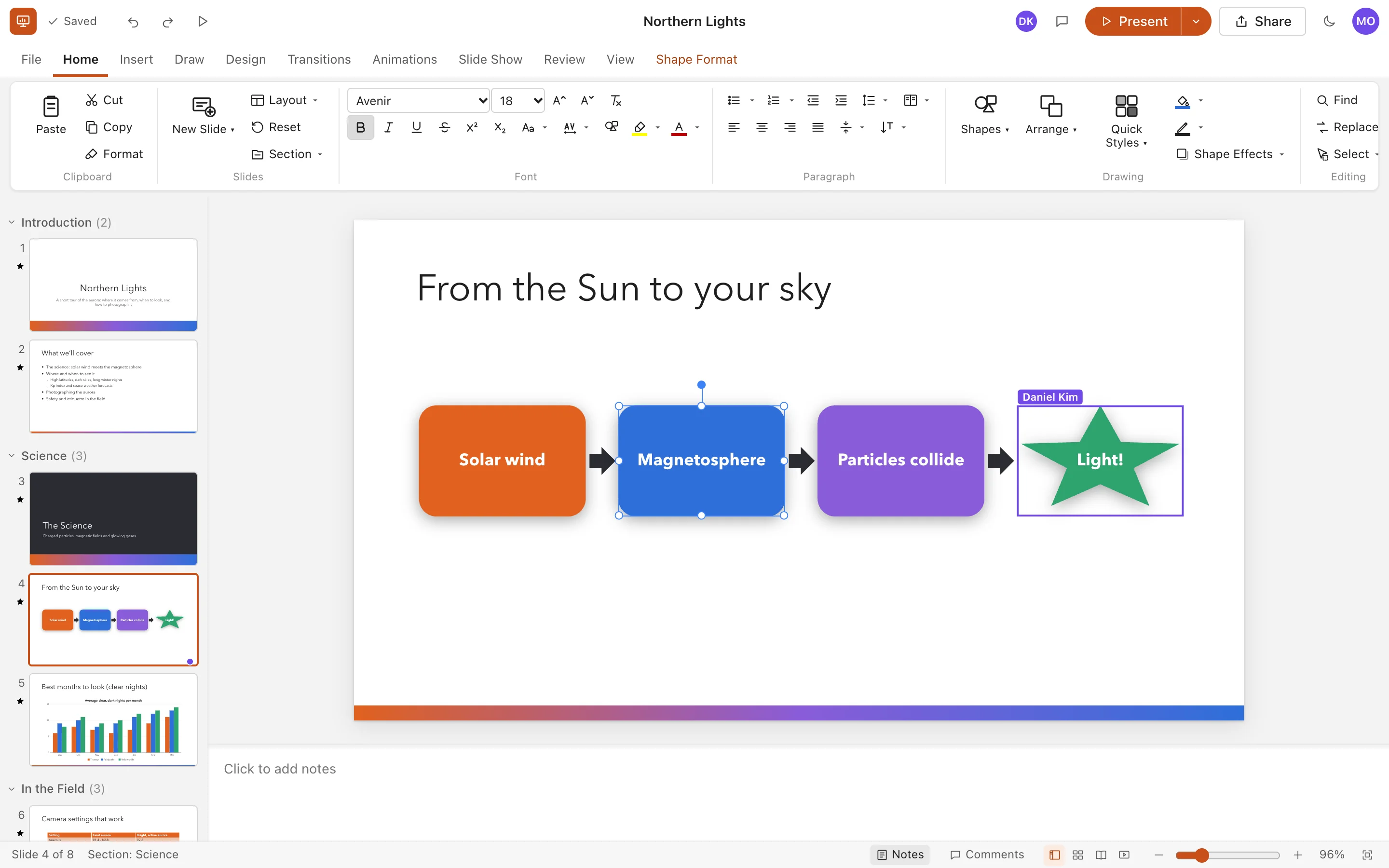
Beezifi Slides editing a slide with a four-step process diagram. Slide thumbnails grouped into sections are on the left, and a collaborator named Daniel has a shape selected.

Real screenshot. Daniel's purple outline shows a teammate working on the same deck at the same moment.

10designer themes
Liveco-editing with your team
.pptximport and export
$0per-seat license fees

Features

Everything you open a presentation app for

Beezifi Slides isn't a slide viewer with a few buttons. It's a real presentation editor with a familiar ribbon, so nobody on your team has to relearn anything.

Look polished in one click

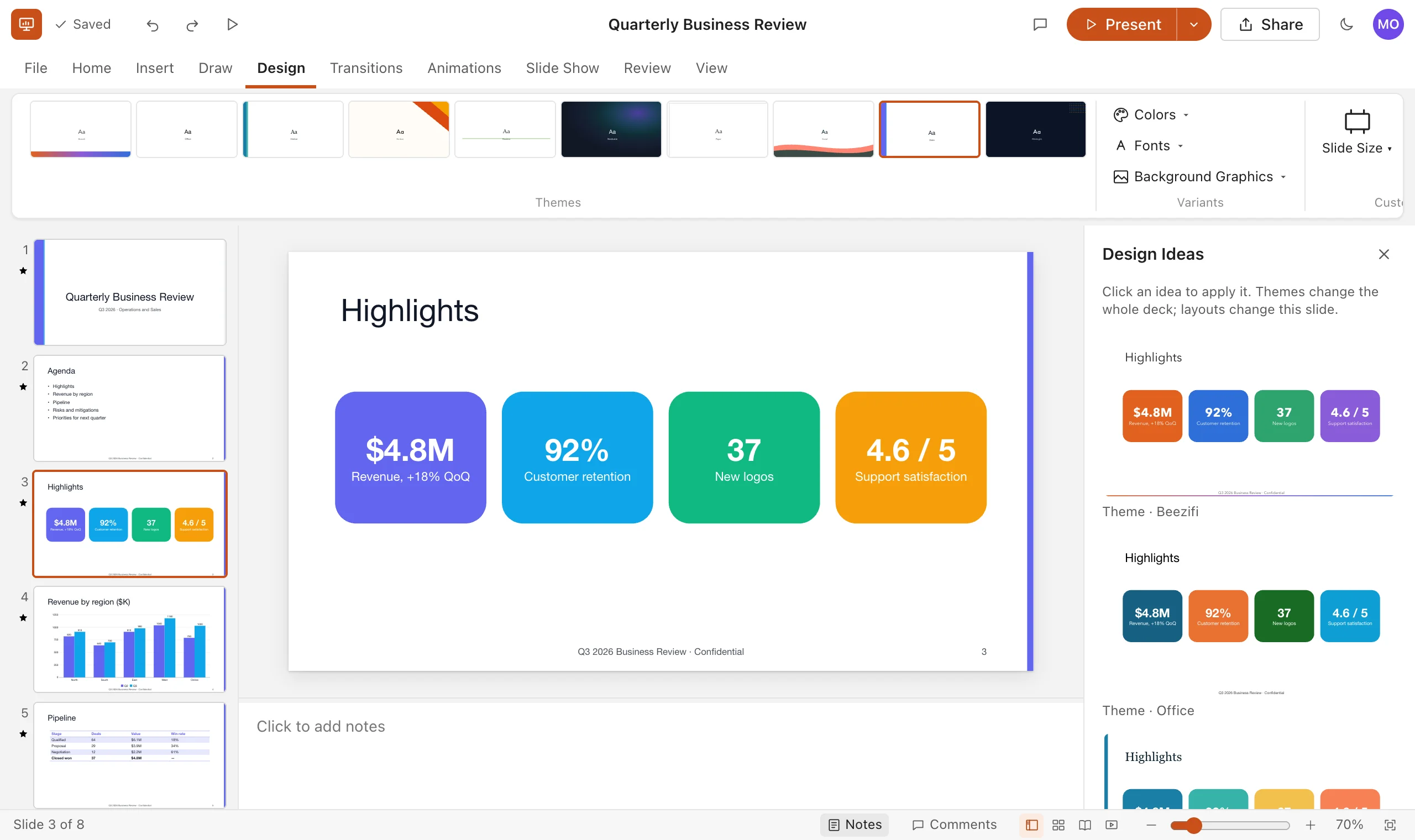
Pick a theme and every slide follows: colours, fonts and background graphics. Design Ideas shows your slide in other themes and layouts so you can choose by eye.

  • 10 original themes, 14 colour schemes and 10 font pairings
  • 11 slide layouts with placeholders that keep their place
  • Gradient, picture and solid backgrounds, per slide or for the whole deck
The Design tab with a gallery of theme thumbnails above a slide of four colourful KPI cards, and the Design Ideas pane showing the same slide in other themes.

Shapes, charts and tables that behave

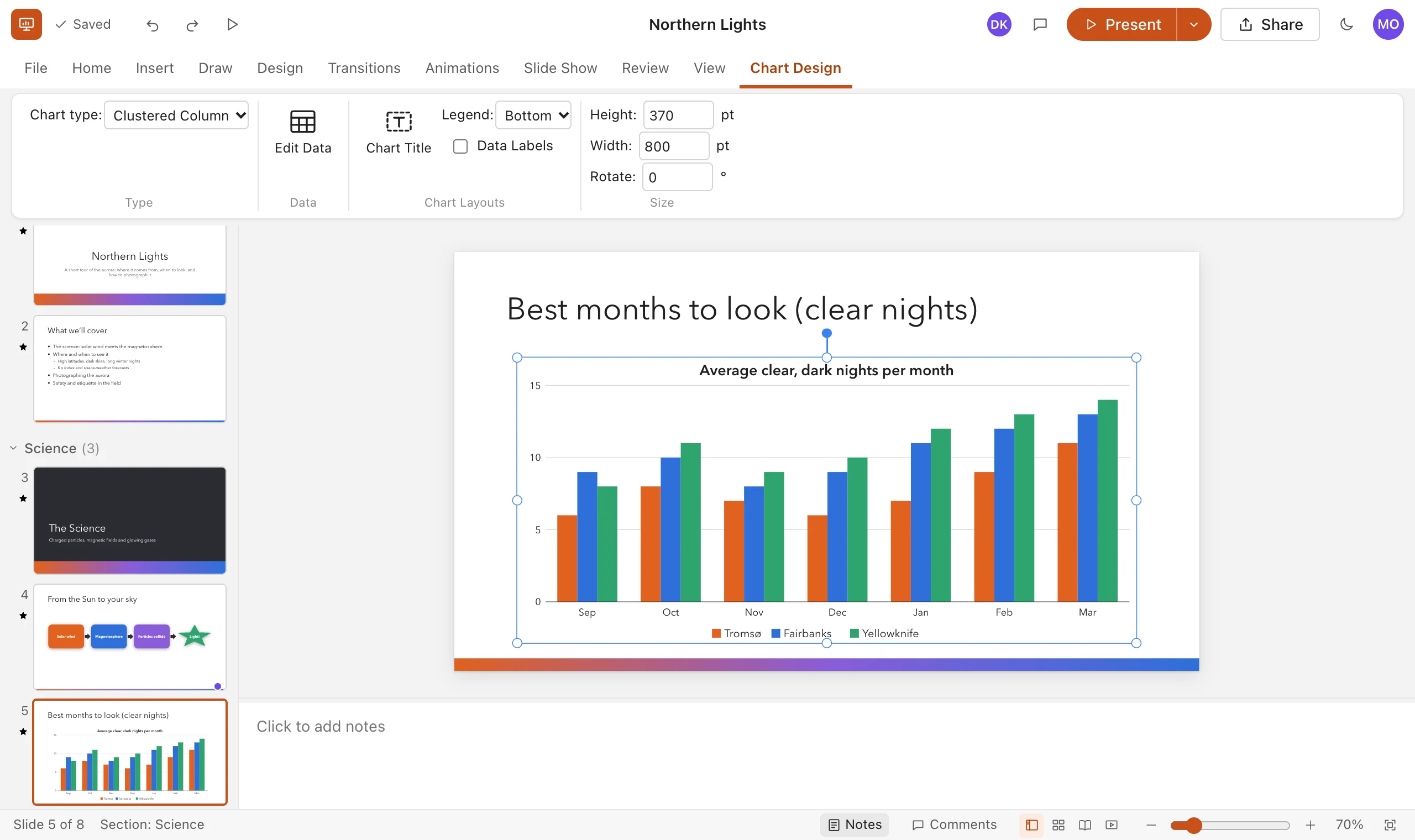
Drag, resize and rotate with smart guides that snap to the slide and to other shapes. Charts and tables are native, so you edit their data right on the slide.

  • 100+ preset shapes, connectors, freehand ink and quick styles
  • Column, bar, line, area, pie, doughnut and scatter charts
  • Tables with 21 styles, banded rows and header options
A slide with a clustered column chart of clear nights per month for three cities, with the Chart Design tab open.

Build decks together, live

Share a presentation and you'll see each other's changes the moment they happen. Everyone's selection appears in their own colour, so you never edit the same slide by accident.

  • Share as viewer or editor; only people you invite can open it
  • Comments and replies on any slide, with resolve and reopen
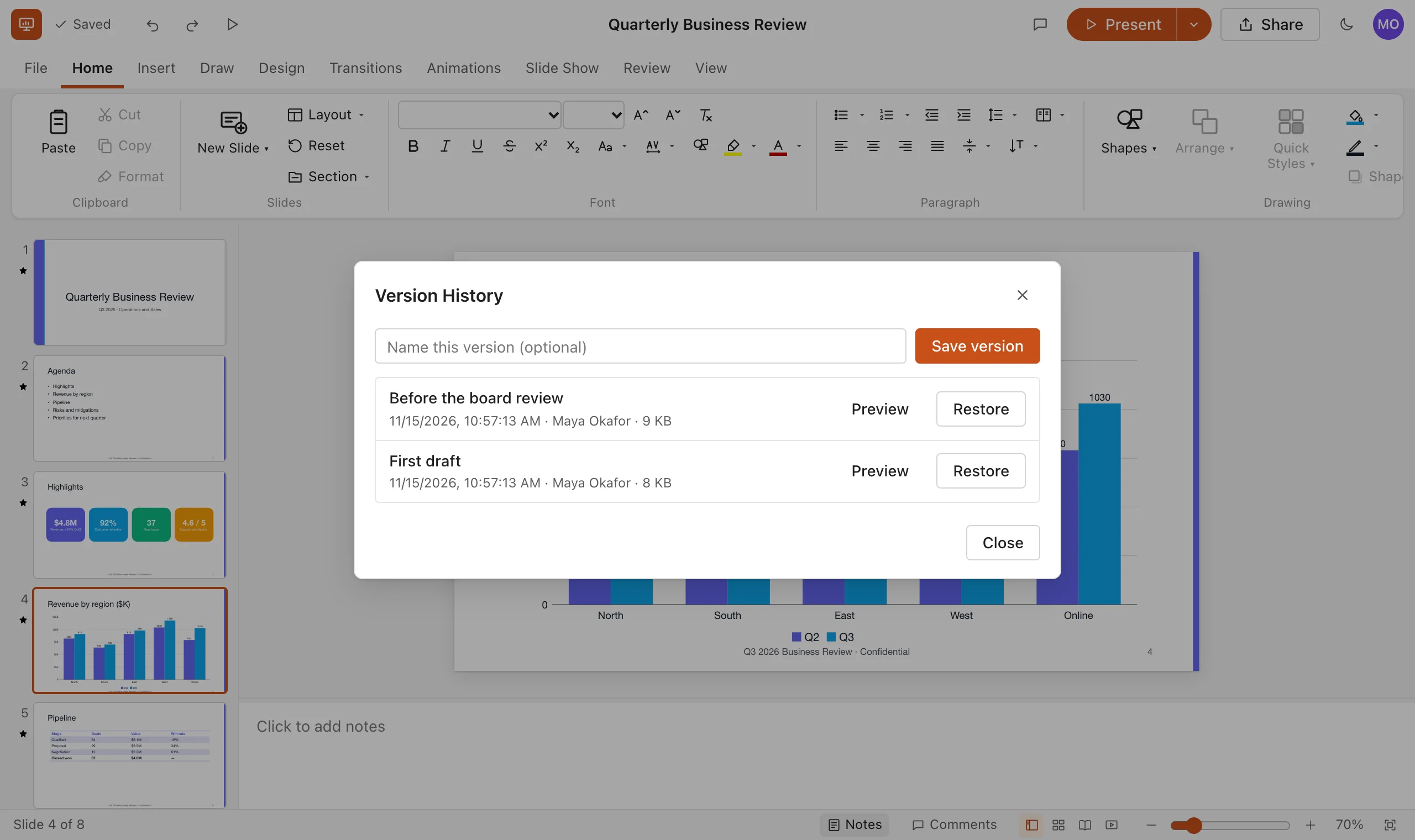
  • Autosave a moment after every change, plus version history to restore
The Version History dialog listing a named version, Before the board review, with Preview and Restore buttons.

Bring your PowerPoint files with you

Drag a .pptx onto your presentation list and keep working. When you need to send a file to someone outside, download it back as PowerPoint, PDF or a web page.

  • Import .pptx, Markdown and text outlines
  • Export .pptx, PDF, a self-contained web page, PNG and Markdown
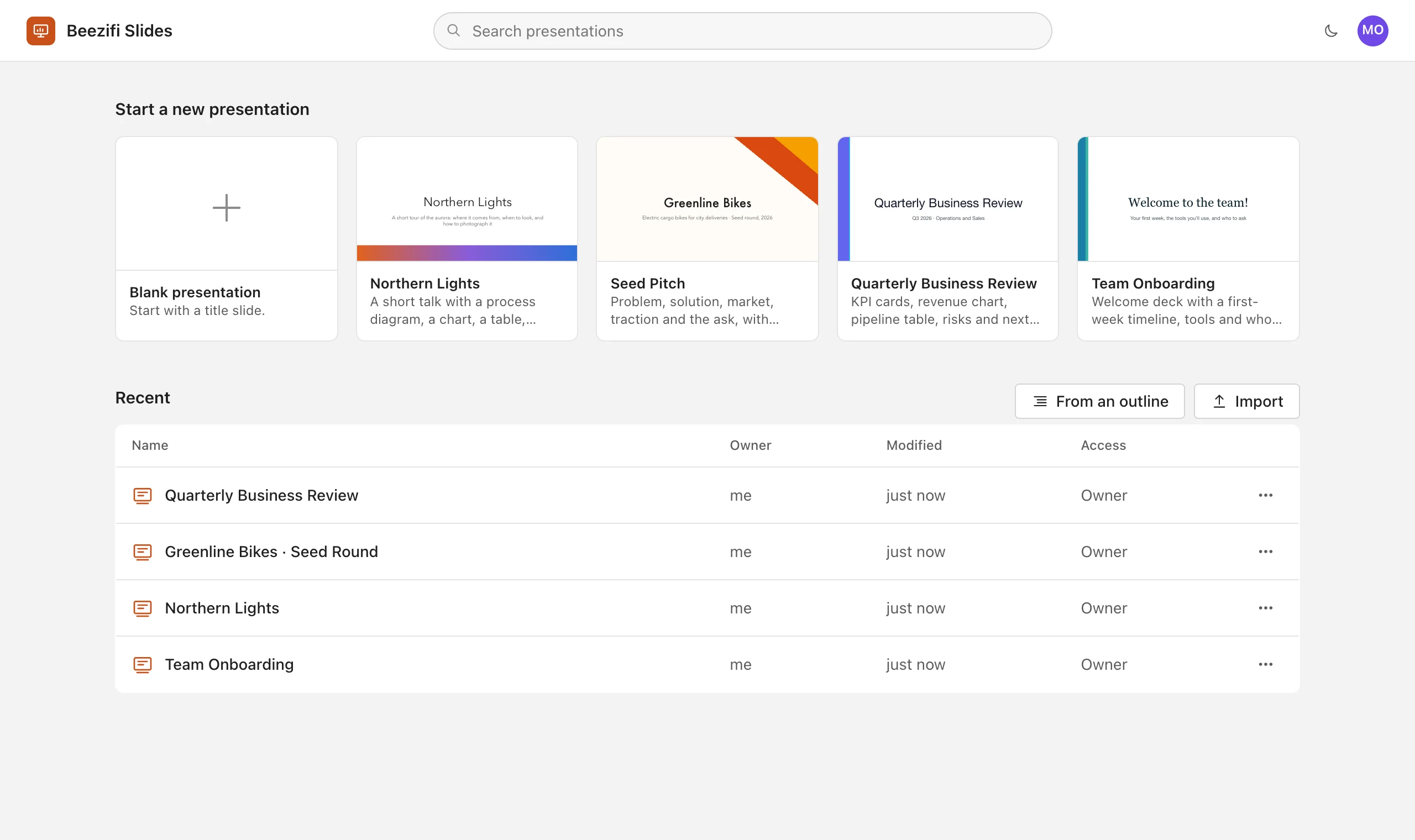
  • Start from templates for pitches, business reviews and onboarding
The Beezifi Slides start page with templates for a blank deck, Northern Lights, Seed Pitch, Quarterly Business Review and Team Onboarding, plus a list of recent presentations.

Looks good, day or night

Dark themes for the stage and a dark editor for late nights. Your slides look exactly the same in the editor, the slide show and the exported file.

  • Dark mode for the whole app
  • Background graphics: bands, waves, frames, glows and more
  • Shadows, glows, gradients and transparency on any shape
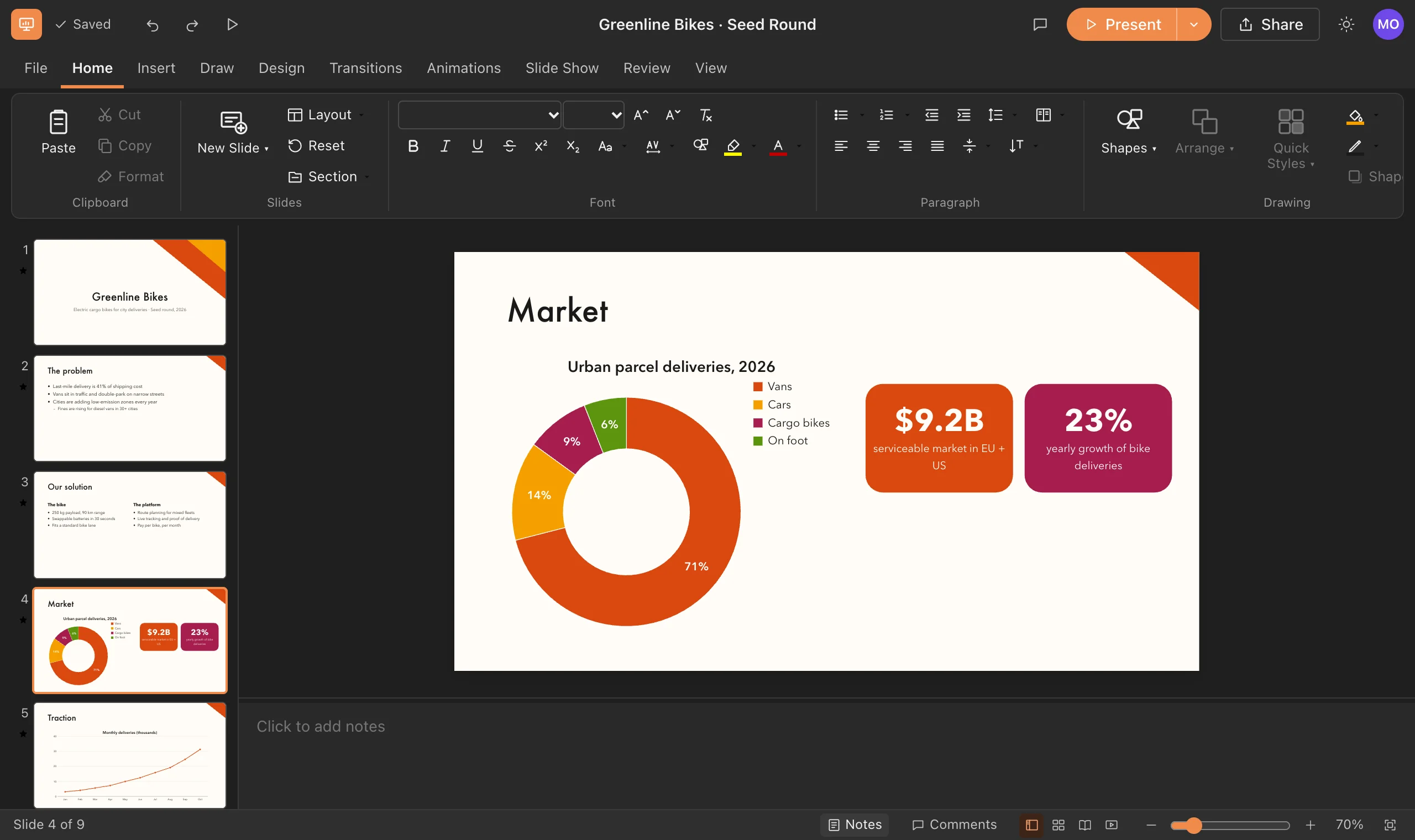
The editor in dark mode showing a pitch deck slide with a doughnut chart and two highlight cards.

Present

Stand up and present with confidence

Presenter View keeps your notes, the next slide and a timer in front of you while the audience sees only your slides, in a second window or on a second screen.

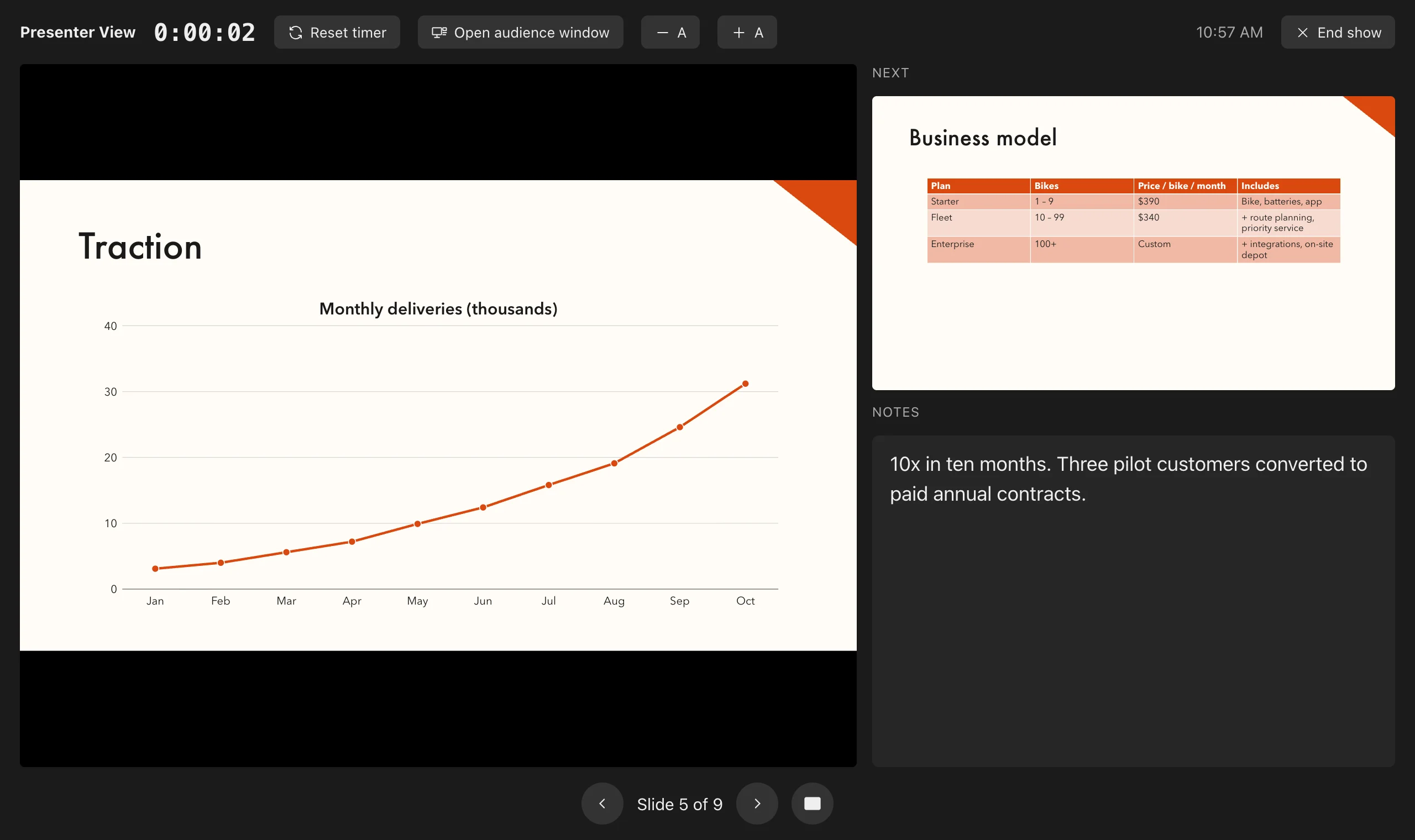
Presenter View with the current slide on the left, the next slide and speaker notes on the right, and a running timer at the top.

12 transitions, including Morph

Fade, push, wipe, cover, zoom, flip and more. Morph glides matching shapes from one slide to the next.

23 animation effects

Entrance, emphasis and exit effects that build on click, with or after the previous one, or paragraph by paragraph.

Pen, highlighter and laser

Mark up slides while you talk, blank the screen with B or W, and jump to any slide by typing its number.

Rehearse timings

Practise once, keep the timings, and let the deck advance on its own at the kiosk or in the lobby.

Speaker notes

Write notes under every slide. Print them as notes pages, or read them in Presenter View.

Accessibility checker

Find slides without titles, pictures without alt text and text that's hard to read, then fix them in a click.

Any device · On the go

Your decks go where you go

There's nothing to install and no license tied to one machine. Sign in from any modern browser on Windows, Mac, Linux, Chromebook, iPad, iPhone or Android, and pick up exactly where you left off.

  • Rehearse on your phone on the way to the meeting
  • Review a colleague's deck on a tablet
  • Do the heavy design work on a laptop or desktop
  • Every device sees the same live copy, so there's no "which version is final?"
Try it on this device
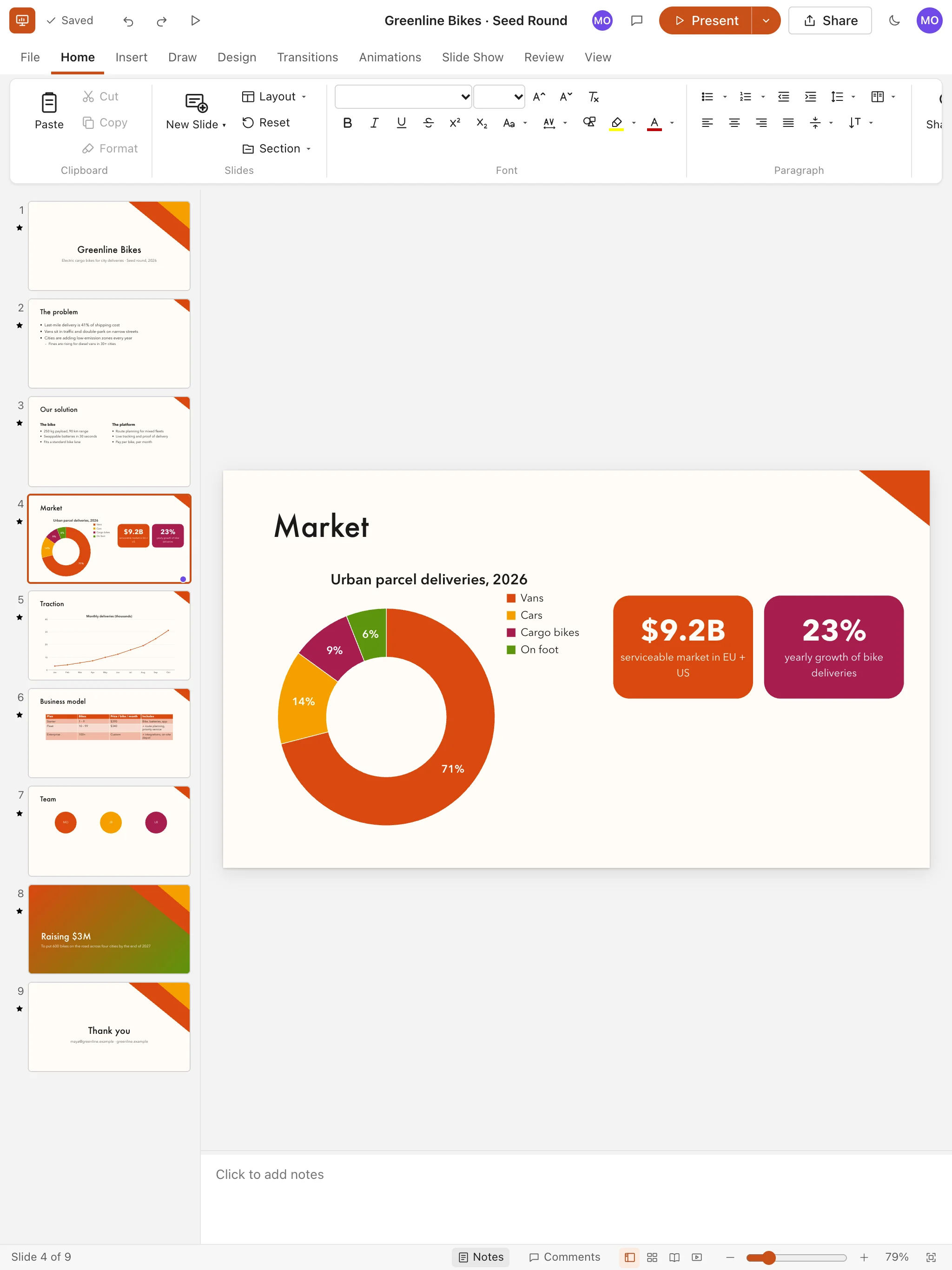
Beezifi Slides on a tablet showing the Seed Pitch deck.
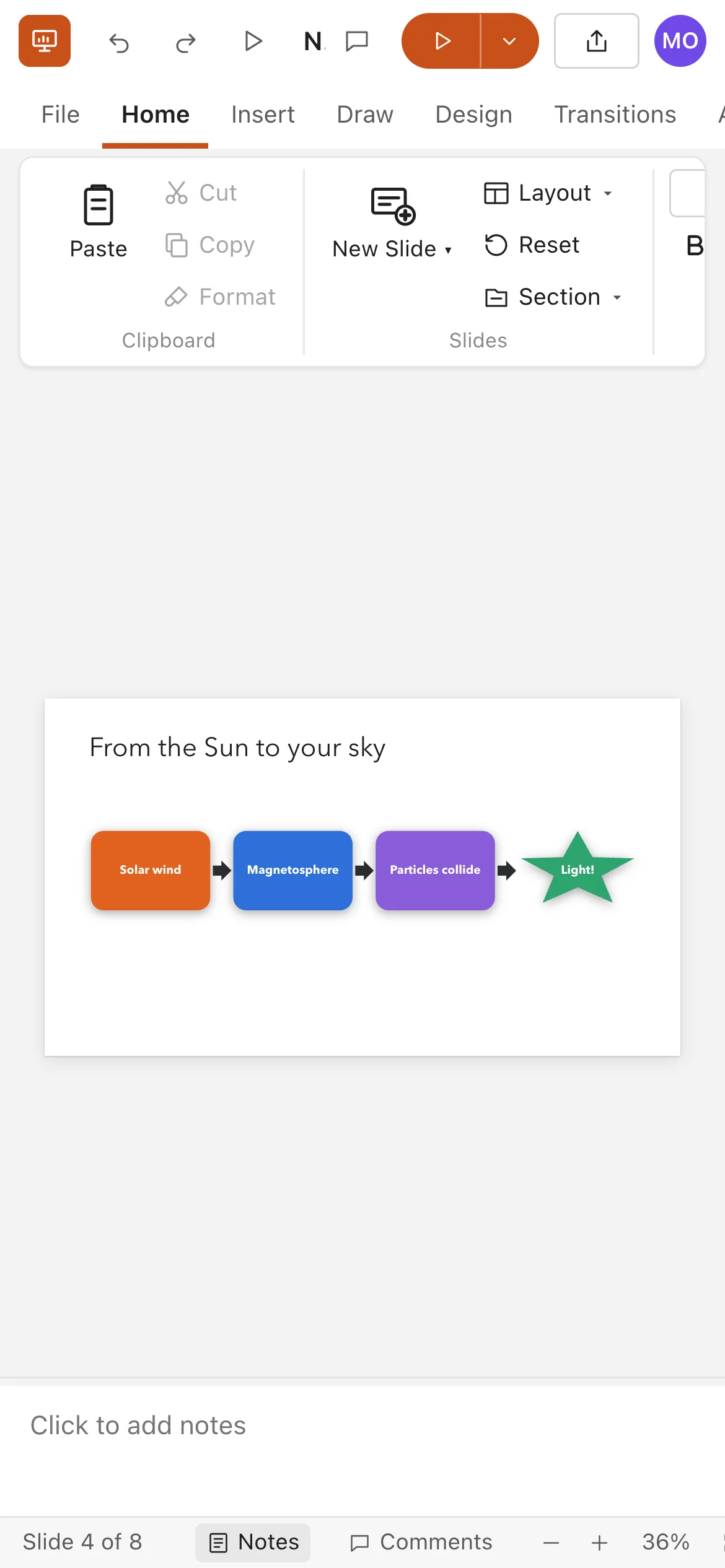
Beezifi Slides on a phone showing a slide from the Northern Lights deck.

Savings

Stop renting your presentation software

Per-seat licenses add up quietly: every new hire, every contractor, every renewal. Enter what you pay today and see what it costs your business each year.

Use the per-user price on your current invoice. The default is only an example.

Your license spend$11,250
Beezifi Slides license fees$0
You keep$11,250over 3 years

Compare

Why teams switch to Beezifi Slides

Beezifi SlidesTypical licensed desktop presentation app
License feesNonePaid per user, renewed every year
InstallationNone, it runs in your browserInstalled and updated on each computer
Phone and tabletSame deck, live in the browserSeparate apps, often with limited editing
Building a deck togetherReal time, with everyone's selection visibleVaries; often emailing files back and forth
SavingAutomatic, with version historyManual saves and file copies
PowerPoint filesImport and export .pptxNative
AI assistantsBuilt-in MCP server and REST APIVaries, often a paid add-on

Trust

Your ideas, kept safe

Private by default

Only the people you share a presentation with can open it. Passwords are stored as bcrypt hashes, never as plain text.

Your data stays yours

We never sell your data, and we don't use your presentations to train AI models. Read the Privacy Policy.

No lock-in

Download any presentation as .pptx, PDF, HTML, Markdown or JSON whenever you like. Your files leave with you.

FAQ

Questions, answered

Is Beezifi Slides really free?

Yes. Creating an account and using Beezifi Slides costs nothing today, and we don't ask for a credit card. If we ever introduce paid plans, we'll give you at least 30 days' notice, and nothing will be charged unless you choose a paid plan.

Can I open my existing PowerPoint files?

Yes. Import .pptx files and download back to .pptx at any time. Text and its formatting, placeholders, preset shapes, pictures, tables, charts, backgrounds, speaker notes, sections and transitions come across. Animations work inside Beezifi Slides but aren't carried in .pptx files yet, SmartArt, video and freeform shapes are simplified, and the importer tells you if anything was left out.

Can I present from it?

Yes. Present full screen from any slide, with transitions, animations, a pen, a laser pointer and keyboard shortcuts. Presenter View shows your notes, the next slide and a timer while an audience window shows only the slides.

Does it work on my phone or tablet?

Yes. Beezifi Slides runs in any modern browser, including Safari and Chrome on iPhone, iPad and Android. A larger screen is still more comfortable for detailed design work.

Can I work offline?

Beezifi Slides needs an internet connection, because every change is saved to the cloud and shared with your collaborators as you make it. Short drops are handled: your edits are kept and sent when the connection returns. To present without internet, download the deck as a web page or PDF first.

Who can see my presentations?

Only you, plus anyone you explicitly share a presentation with as a viewer or editor. You can remove access at any time from the Share dialog.

What doesn't Beezifi Slides do yet?

Grouping shapes, SmartArt, embedded video and audio, slide masters you can edit, and recording narration aren't available yet. If your team relies on one of these daily, keep a desktop license for those few people and move everyone else to Beezifi Slides.

Make your first deck in under a minute

Free account. Nothing to install. Works on the device you're holding right now.

Get started free